
Fill in /update your user details. 

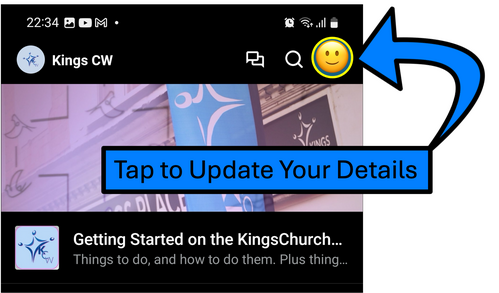
1. Locate and Tap the circular image at the top right-hand corner of the screen. Depending on what type of phone or devise you are using and how you have previously set up other app, there may be an image that represents you already in this circle!
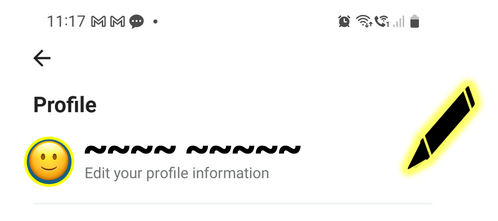
2. At the top of the next screen, click the pen-icon🖊️ (highlighted in yellow) to edit your key information and choose a picture to represent you in chats.


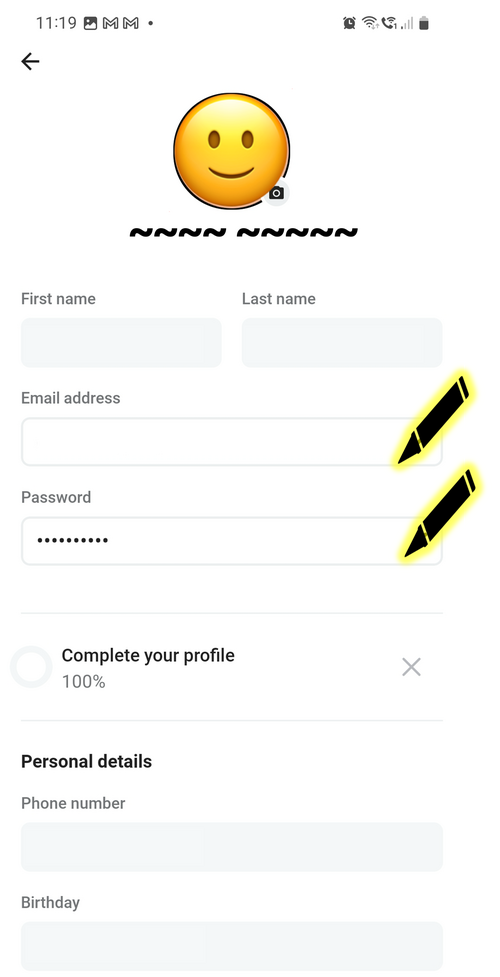
3. On the next screen you can click the circle image to choose a picture from your phone or tablet that you want to represent you in your interactions on the app. Please add an email and password.

Additionally you can add more personal identification such as your phone number (these details are not show).

PLEASE NOTE: UK PHONE NUMBERS NEED TO BE ADDED STARTING WITH "44"FOLLOWED BY YOUR NUMBER WITHOUT THE LEADING "0"
 
IE: if your number is "07123 456789" please type "447123456789". The system will correct interpret this when it save your details!

4. Use the back-arrow ← at the top of the screen to return to the main app.